


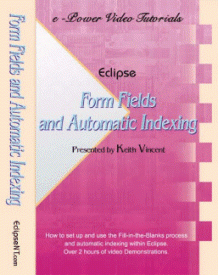
Eclipse Form Fields & Automatic Indexing – 2nd Edition
$84.95
(In Stock)
Over 3 hours of video presentations PLUS .4 NCRA Continuing Education Units!
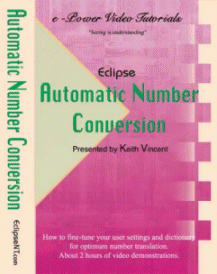
Now in its 2nd Edition, this tutorial has been revised, updated, and greatly expanded. The “Fill in the Blanks” and Automatic Indexing features of Total Eclipse can be tremendous time-savers, but only if you use them. This tutorial offers step-by-step demonstrations for both setup and use.
Please Note: All videos run from CD-ROM disks and can be played on your computer, even while Eclipse is being used.
How to get CEUs? CLICK HERE
Tutorial Outline:
Audio/Visual Tips
How the Video Player Works
Introduction
| 1. Creating and Using a Block Files Folder 2. Form Fields (The “Fill-in-the-Blanks” Process) Introduction A Simple Example: “Exhibit Marked” Modifying a Field: “Remember” Previous Exhibit Number Capitalize, Non-Adjustable, Auto-Delete The Birdcage Creating Form Fields that Use Pick Lists Using and Refining Pick Lists Nested Fields Corrections to Filled-In Blanks Single Scan & “Last Field”3. Automatic Indexing Introduction Analyzing your Index Pages Creating Heading Files for Index Categories Creating Paragraph Formats for Indexing Indexing Lines and Form Fields Order, Sorting, and Last Steps Autoincludes and Marking Multiple Exhibits Editing and Index After Accepting It Wildcards within Indexing Lines Certified Questions Skipping Lines Between Index Entries Chronological and Alphabetical Witness Indexes Headings and Paragraphs for Multi-Column Indexes Index Lines for Multi-Column Indexes Multiple Instances of the Same Item Generating a Master Index |
4. Sample Block Files & Visualizers How to Install Sample Files Importing Settings, Finding Block Files The Overview Document Blanks that Store Personal Information Inserting Cover Pages Case Caption Behavior Blanks that Store Client Info for Appearance Pages Examinations and Exhibits Index Lines: Show or Hide? The Indexing Wizard (Ctrl I) Indexing Court Proceedings, The Overview Opening/Closing Statements Examinations in Court Court Exhibits Jury Selection Jury Selection in Capital Cases Generating a Volume Index Generating a Master IndexSample Files e-Power Class Federal Files Texas Files for Freelancers Texas Files for Court Officials California Files for Freelancers California Files for Court OfficialsSupplementary Documentation (PDF Files) Obtaining Continuing Education Credits How to Obtain NCRA Continuing Education Credits Test 1: Multiple Choice – 25 Questions Test 2: True or False – 50 Questions |
| Note: Two tests are offered. Take whichever one you prefer. You can even take both tests, but double credit is not available.
“I have learned a great deal from these CDs. Nobody told me about a lot of this. Where have I been all these years? I’ve just been trying to turn out transcripts, picking up things here and there at seminars, but nothing like these tutorials!” — Diane Parnell |
|
Only logged in customers who have purchased this product may leave a review.

Reviews
There are no reviews yet.